Codes come first
A code shows up big, with a Copy button, the moment it arrives. Alerts and reminders wait in a clean inbox without a chat app's clutter.
Nobody chats by SMS any more, but your bank, your courier and your doctor still text. Relay is a clean, modern SMS app built for those texts, and it sends the ones that matter on to where you actually are: Telegram, your inbox or your other phone.
Free to start.
No ads, no trackers, no account.

Conversations went to WhatsApp, Telegram and Signal years ago. What still arrives by SMS is the small, urgent stuff: sign-in codes, card alerts, delivery slots, appointment reminders. It lands on whichever phone holds the SIM, which is rarely the screen you are looking at.
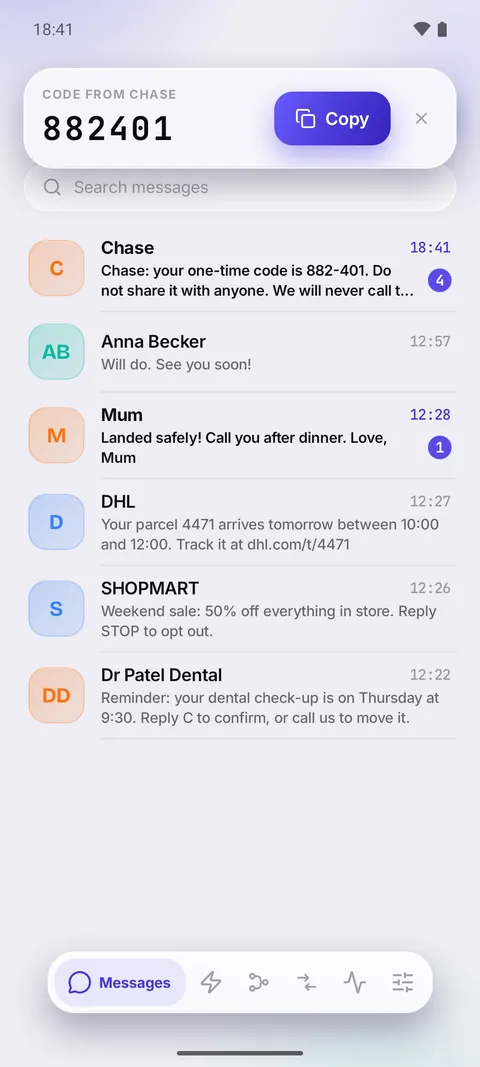
A code shows up big, with a Copy button, the moment it arrives. Alerts and reminders wait in a clean inbox without a chat app's clutter.
Codes, alerts or every text, on to Telegram, your email, another phone or your own server. The SIM can stay in a drawer, a work phone or another country.
For the people who still text you: threads, replies from the notification, new messages, Sent and Delivered. Everything a messaging app does, and nothing it shouldn't.
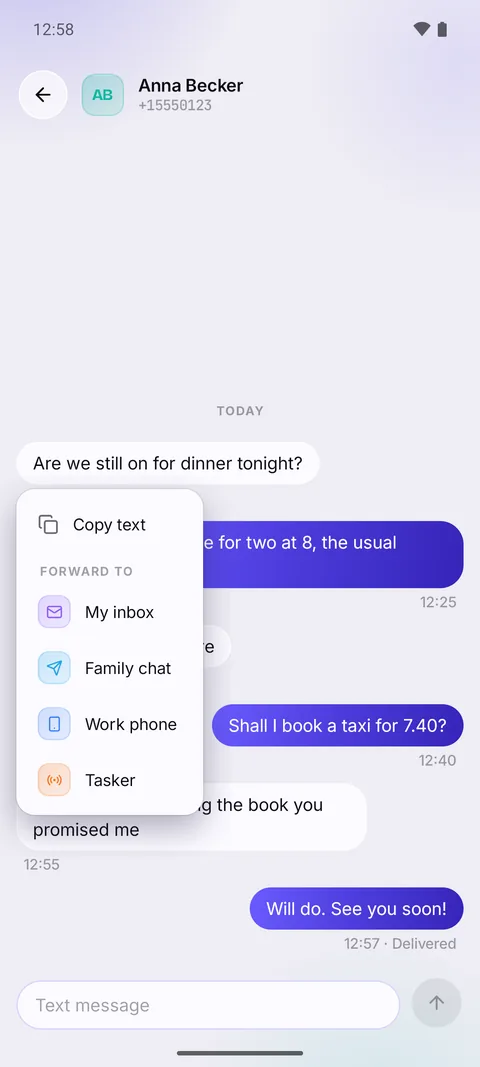
Relay is a complete SMS app. Make it your default and it receives, shows and sends your texts, with forwarding one long press away.
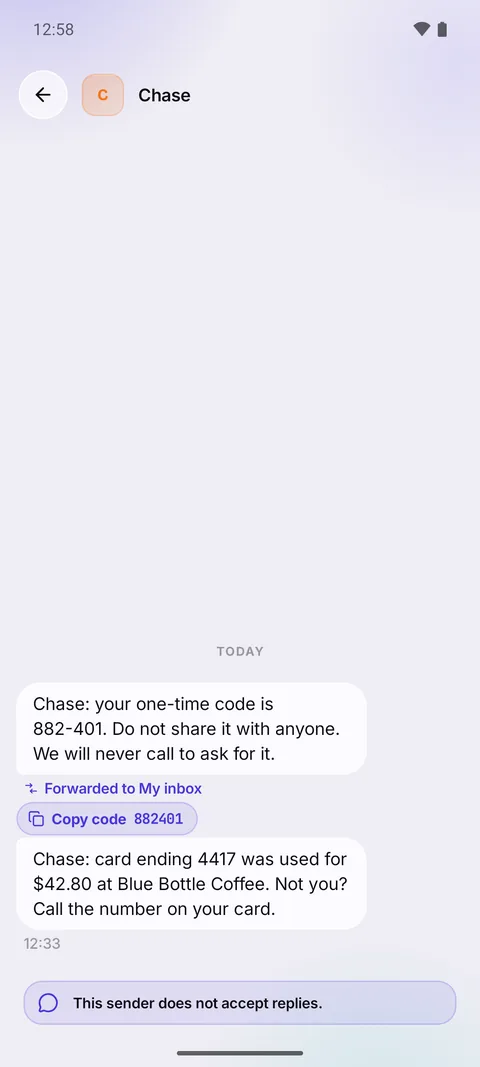
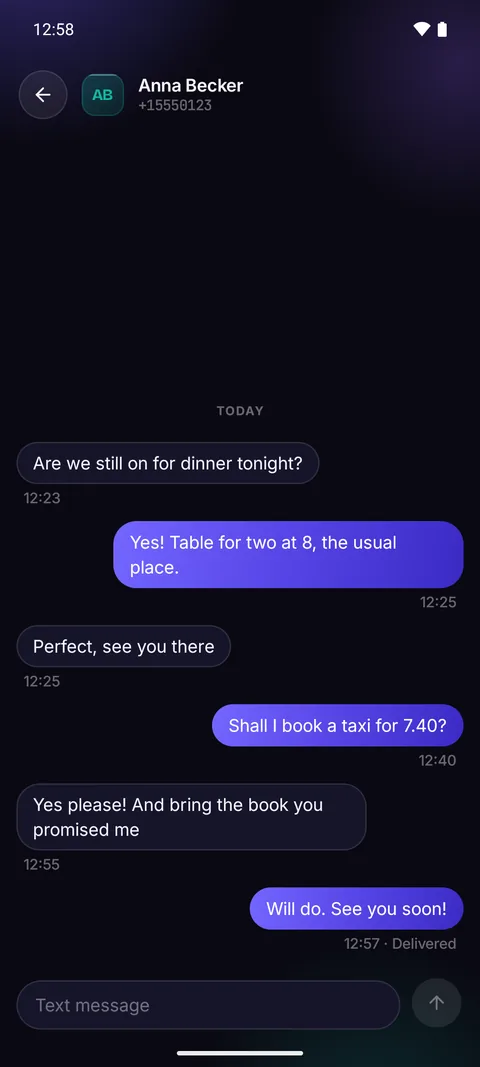
Contact names, unread at a glance, instant search, and a draft kept in every conversation. Threads read like a conversation: grouped bubbles, day headers, Sent and Delivered, and one tap to try a failed text again.
Answer, mark as read or open the thread without leaving what you were doing. One notification per conversation, never a pile.
When a code arrives, Relay shows it large with a Copy button, in the app and in the notification. No squinting, no selecting digits with your thumb.
Long-press a message and pick a destination, even one a rule skipped. Every forwarded text says where it went.
Picture and group messages are received and shown right in the thread.
It tells you when a long text will be split, or when an emoji makes it shorter, before you send it.
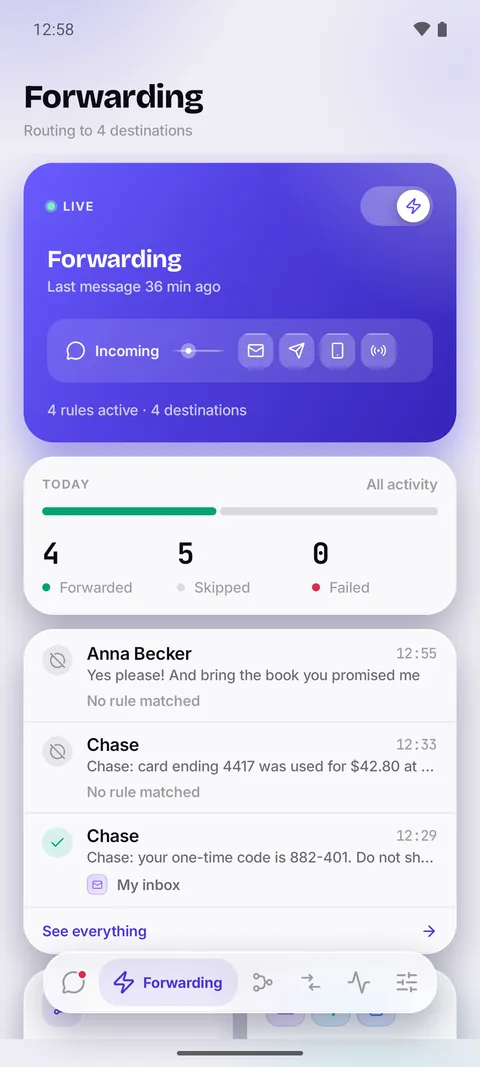
On the free plan every text goes to your one destination. With Pro, each text is checked against your rules once: what matches goes to that rule's destinations, what doesn't is logged and left alone.
Three steps, in this order. The third one is the part other forwarders skip.
Step 01
Android asks you once. Rather keep your current app? Relay can forward from its notifications instead, and tells you plainly what that costs.
Step 02
Add a destination — another phone, your mail account or Postmark, your own Telegram bot, a URL, an automation app. Name it, send a test and watch it arrive.
Step 03
On the free plan every text goes to your destination. With Pro, write rules and paste a real message in: Relay shows whether it would forward it, and why.
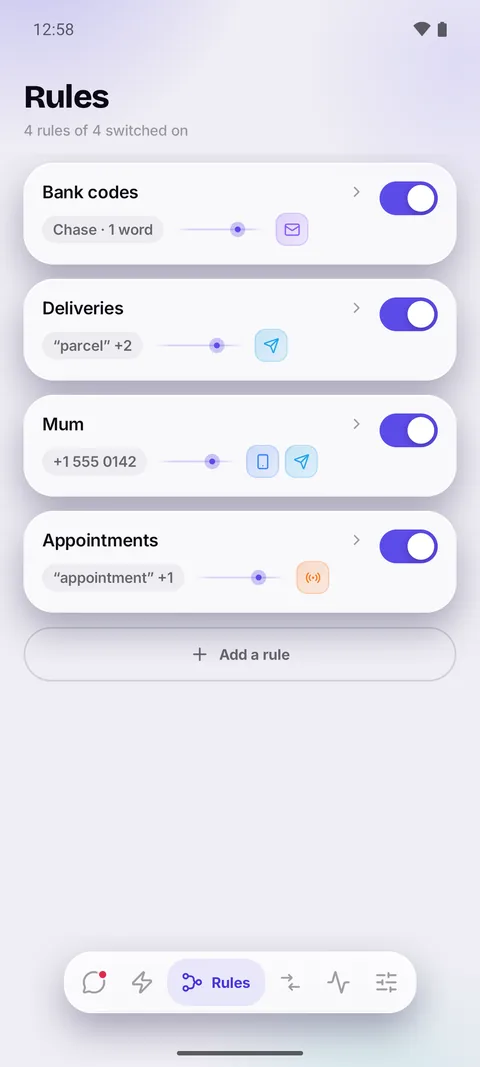
From these senders, containing these words, never if it contains these. Each rule draws its own route, so you can see where a message ends up without opening anything.
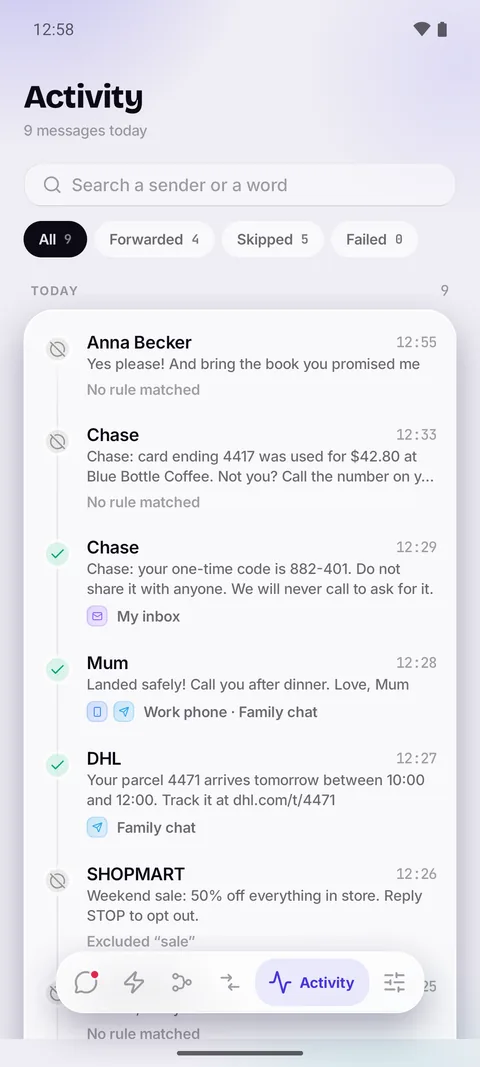
Every message Relay forwarded, skipped or failed to send, with the reason attached and a button to try again. Search it and filter it; with Pro, keep it all and export it.
Hold everything overnight and let it out in the morning. Nothing is lost, it just waits until you are awake to read it.
Texts a rule has already forwarded can arrive without a sound or a notification. Your phone only buzzes for the ones that stayed.
A failed send is retried three times with a widening gap, and the moment your connection is back.
Relay never forwards its own forwards, and never sends a message back to the number it came from.
A dark theme built at the same time as the light one, not bolted on after.
Every destination is one you own, and every kind works on the free plan. Relay connects to it from your phone, directly.
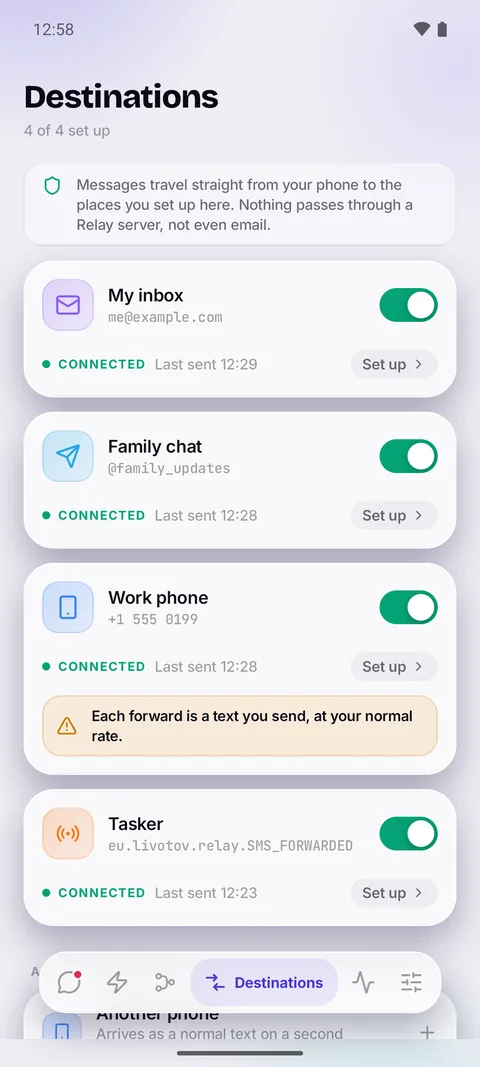
Your home SIM stays in a drawer. Its bank codes still reach the phone in your pocket.
Work texts to Telegram, personal ones left alone. One phone, two lives, no mixing.
The shared line's messages land in the channel the whole team already watches.
Alerts from the monitoring line reach you wherever you are, and only those.
Forwarding without a company in the middle reading the codes to your bank.
A filtered webhook or broadcast intent, so your automations only fire on what matters.
No ads on either plan, because an app that reads your texts should not also sell your attention.
Free
€0 forever
The whole SMS app, and every text forwarded to one place.
Pro · monthly
€4.99 / month
For a trip or a project. Three days free, then month by month.
Pro · yearly
€17.99 / year
Free for the first week. Cancel in Google Play any time.
Pro · lifetime Best value
€41.99 once
One payment. No renewal, no reminder email in a year.
Prices shown in EUR. Google Play sets the local price in your country.
Relay is your SMS app, so your texts stay where they have always lived: in your phone's own message store. There is no Relay server. Nothing to breach, nothing to subpoena, and nothing to quietly start monetising later.
POST https://your-server/sms
content-type: application/json

{
  "sender": "Chase Bank",
  "body": "From Chase Bank\nYour code is 882-401",
  "rawBody": "Your code is 882-401",
  "receivedAt": 1783502520000,
  "rule": "Codes and banking"
}
Because SMS changed and most SMS apps did not. Today it is mostly sign-in codes, card alerts, deliveries and reminders, plus a few texts from people who never moved to a chat app. Relay is built for that: a clean inbox, codes you copy in one tap, and those texts sent on to wherever you actually read, whether that is Telegram, your email or the phone in your other pocket.
No, and there cannot be. iOS does not let any app be your SMS app or read incoming texts — that is a platform rule, not an oversight. Relay is Android only. You can, of course, forward an Android phone's texts to your iPhone.
Yes, the ones you ask it to. Relay is a full SMS app, so it sends the texts you write, and if you add another phone as a destination it forwards there as an ordinary text at your usual rate. Every other destination uses your data connection, not your text allowance. Relay never makes calls.
No. Keep your current app and Relay forwards from its notifications instead, which needs no SMS permission at all. The trade-off is real and Relay states it plainly: silenced notifications are missed, very long messages can arrive cut short, and forwarding to another phone pauses until Relay is your SMS app again.
Picture and group messages are received and shown in the thread. Sending pictures and replying in group conversations are not supported yet.
That is the hard part of this category, and where Relay spends its effort. An incoming text wakes the app, delivery runs as a protected background job so Android does not drop it mid-send, and failures are retried when the connection returns. Relay also asks you to lift its battery restriction, and says why.
Always. The activity log records every message with the outcome and the reason — forwarded to which destination, skipped because no rule matched, blocked by an excluded word, or failed with the error from the other end. Failed ones have a button to send again.
Relay is in closed testing for Android. Leave your email and we'll send one message when it is on Google Play — nothing else, ever.
Ask for early access